Directory - TryHackMe Writeup
A Digital Forensics room focusing on network traffic analysis using Wireshark and Tshark. Investigate a security breach at a music company by analyzing PCAP files to uncover the attack timeline.
Table of Contents
Room Overview
The Directory room is a Digital Forensics challenge that focuses on network traffic analysis. As a cybersecurity analyst, I investigated a security breach at a music company using PCAP file analysis with Wireshark and Tshark.
Room Introduction

TryHackMe Directory Room - Digital Forensics Investigation
Incident Scenario
🎵 The Case
A small music company was recently hit by a threat actor. The company's Art Directory, Larry, claims to have discovered a random note on his Desktop.
Given that they are just starting, they did not have time to properly set up the appropriate tools for capturing artifacts. Their IT contact only set up Wireshark, which captured the events in question.
🎯 My Mission:
Find out how this attack unfolded and what the threat actor executed on the system
by analyzing the provided traffic.pcap file.
⚠️ Important Security Note
In real-world scenarios, PCAP files should be analyzed in an isolated virtual machine to prevent spreading of any malware or payload that may be contained within the traffic.
Initial Traffic Analysis
My investigation begins with downloading the PCAP file and loading it into Wireshark. Let me start by identifying the key players in this network traffic.
Initial Questions Overview
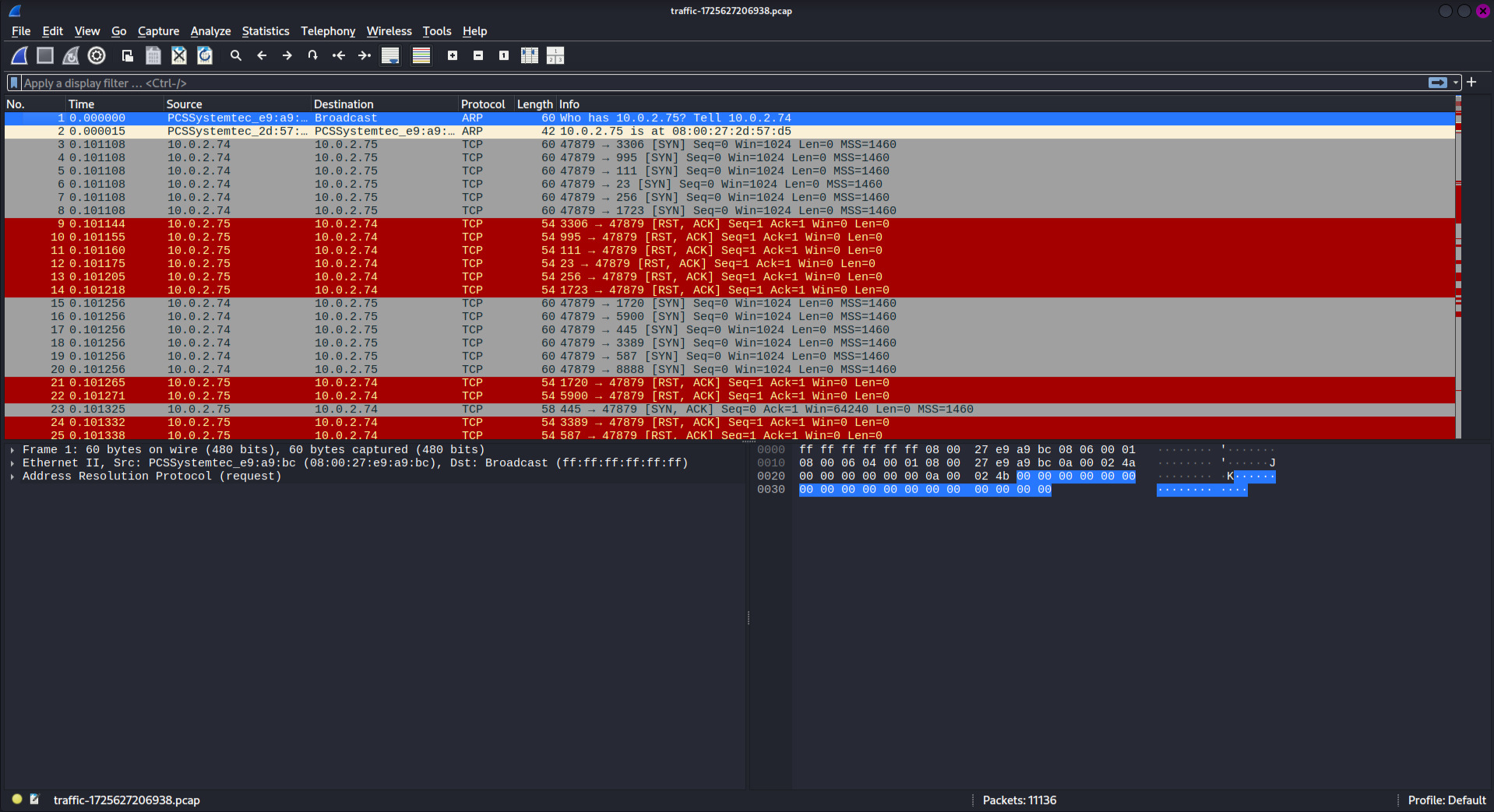
Overview of the investigation questions I need to answer
🔍 Identifying Source IP Addresses
First, let me identify all source IP addresses in the traffic to find the attacker:
tshark -r traffic.pcap -T fields -e ip.src | sort -uAnalysis Results:
After reviewing the source IPs, I can identify 10.0.2.74 as the likely attacker IP based on the connection patterns and behavior in the traffic.
Question Walkthrough
Question 1: Port Discovery
What ports did the threat actor initially find open?
Format: from lowest to highest, separated by a comma
tshark -r traffic.pcap -Y "ip.src==10.0.2.74 && tcp.flags.syn==1 && tcp.flags.ack==0" -T fields -e tcp.dstport | sort | uniqThis command filters for SYN packets (connection attempts) from the attacker IP to identify which ports they were scanning/accessing.
Rabbit hole: At first, I tried to identify the open ports using Wireshark’s graphical interface. After spending several minutes without success, I realized I needed a more efficient approach. That’s when I switched to tshark (the CLI version of Wireshark), which allowed me to quickly filter and extract the port information I needed.
Question 2: Valid Username Discovery
The threat actor found four valid usernames, but only one username allowed the attacker to achieve a foothold on the server. What was the username?
Format: Domain.TLD\username
🔍 Kerberos Analysis
Using Wireshark to analyze Kerberos authentication attempts:
kerberosBy filtering Kerberos traffic, I can observe authentication attempts and identify which username was successfully used to gain access to the system.
Question 3: Hash Extraction
The threat actor captured a hash from the user in question 2. What are the last 30 characters of that hash?
For this question, I used a specialized Python script to extract Kerberos hashes:
wget https://raw.githubusercontent.com/jalvarezz13/Krb5RoastParser/refs/heads/main/krb5_roast_parser.pypython3 krb5_roast_parser.py traffic.pcap as_repHash Extraction Results

Successfully extracted AS-REP hash from the PCAP file
Question 4: Password Cracking
What is the user's password?
Using Hashcat to brute force the extracted hash:
hashcat -m 18200 hash.txt /usr/share/wordlists/rockyou.txt
Hashcat: I used Hashcat for password cracking. To run Hashcat effectively, you need to specify the correct module using the -m flag. In this case, I used module 18200, which is designed for Kerberos AS-REP hashes. This allowed me to brute-force the hash and recover the user's password.
Password Cracking Success
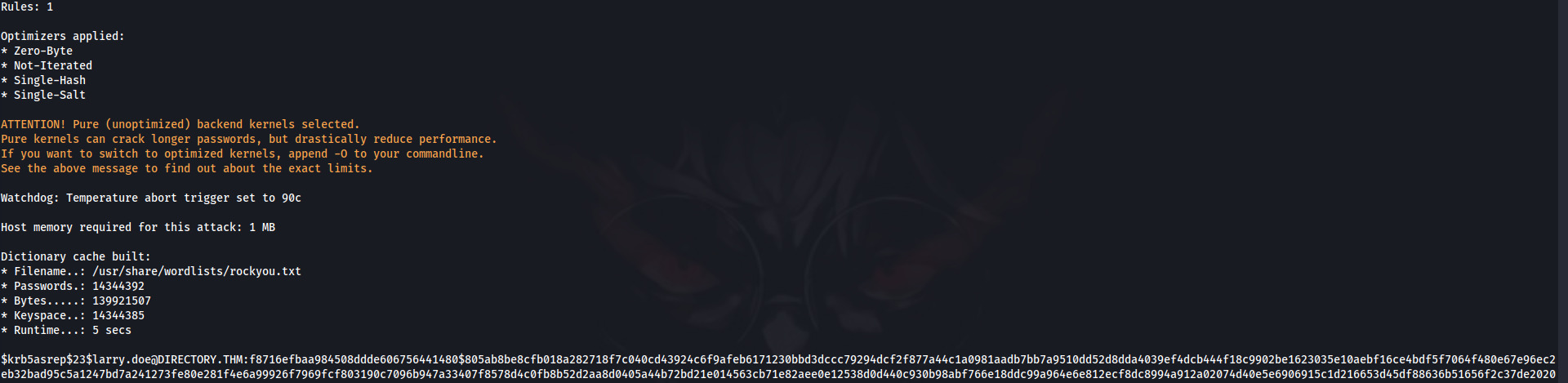
Successfully cracked the user's password using Hashcat
Questions 5 & 6: Command Execution Analysis
What were the second and third commands that the threat actor executed on the system?
Format: command1,command2
🔓 WinRM Traffic Decryption
To analyze the commands executed, I need to decrypt the WinRM traffic using the cracked password:
wget https://gist.githubusercontent.com/jborean93/d6ff5e87f8a9f5cb215cd49826523045/raw/0f7782d317a4e6e7830282aa7430289f7f97dabe/winrm_decrypt.pypython3 winrm_decrypt.py -p 'PASSWORD_FROM_QUESTION4' traffic.pcap > decrypted.txt📝 Extract and Decode Commands
grep -Poz '\K.*?(?= )' decrypted.txt > encoded.txtwhile read line; do
echo "$line" | base64 --decode >> arguments.txt
echo "" >> arguments.txt
done < encoded_arguments.txt🎉 Investigation Complete!
Through systematic analysis of the PCAP file, I successfully traced the complete attack timeline from initial port scanning to command execution.
Key Takeaways
🔍 Network Forensics Fundamentals
PCAP analysis is crucial for incident response. Understanding how to extract and analyze network traffic helps reconstruct attack timelines and identify IOCs.
🛠️ Multiple Tool Approach
Combining Wireshark GUI analysis with Tshark command-line filtering provides comprehensive network investigation capabilities for different types of evidence.
� Kerberos Attack Vectors
AS-REP roasting attacks target users with "Do not require Kerberos preauthentication" enabled, allowing offline password cracking of captured hashes.
🛡️ Defensive Measures
Implement proper network monitoring, disable unnecessary Kerberos pre-authentication, use strong passwords, and monitor WinRM traffic for suspicious activity.
Additional Learning Resources
🎯 Investigation Methodology Applied
Evidence Collection
I downloaded and safely analyzed the PCAP file in an isolated environment
Traffic Analysis
I identified source IPs, attack patterns, and communication protocols
Credential Extraction
I extracted and cracked Kerberos hashes to recover compromised credentials
Command Analysis
I decrypted WinRM traffic to reveal exact commands executed by the attacker
Timeline Reconstruction
I built complete attack timeline from initial reconnaissance to post-exploitation