Gazole - Lab Writeup
A security assessment of a petroleum conglomerate's web application. This lab focuses on identifying broken access control, information leakage, and database exposure vulnerabilities in a Laravel-based system.
Table of Contents
Lab Overview
The Gazole lab is a security assessment challenge focused on a Laravel-based web application for a petroleum conglomerate. As an IT engineer, I identified multiple security vulnerabilities including broken access control, information leakage, and exposed database management tools.
Application Interface

Gazole petroleum conglomerate web application interface
Scenario
⛽ The Petroleum Conglomerate
As an IT engineer at Gazole, a petroleum conglomerate, I was tasked with assessing the security of their web application. During the investigation, I discovered several critical vulnerabilities including unauthorized access to sensitive pages and exposed secrets.
My mission is to evaluate these risks and report back on their potential impact to the company's security posture.
🎯 Mission Objective:
Download and analyze the provided source code, set up the application environment, identify security vulnerabilities, and document their impact on the organization.
⚠️ Security Note
This lab demonstrates common vulnerabilities found in real-world web applications. The techniques used here should only be applied in authorized security assessments and penetration testing engagements.
Initial Setup
My investigation began with downloading the source code from the artifacts section (source.zip). After extracting the files, I attempted to start the PHP web application:
php artisan serve
The server started successfully and provided the URL: http://127.0.0.1:8000.
However, when I visited the website, I encountered a "500 Internal Server Error".
🔧 Troubleshooting the Application
To resolve the error, I needed to properly configure the application environment:
Database Configuration
Set up the database and configure the .env file with proper credentials
Composer Dependencies
Install required PHP packages using composer install
Application Key
Generate a new application key using php artisan key:generate
Setup Results:
After completing these configuration steps, I restarted the server and successfully
accessed the application at http://127.0.0.1:8000. The application
was now fully functional and ready for security assessment.
Vulnerability Analysis
With the application running, I began a systematic security assessment focusing on access control, information leakage, and other common web vulnerabilities.
Security Assessment Approach

Systematic approach to identifying security vulnerabilities
🔍 Key Areas of Focus
Access Control Testing
Checking for unauthorized access to administrative functions
Information Leakage
Looking for exposed sensitive data and configuration files
Database Exposure
Identifying exposed database management tools and interfaces
Question Walkthrough
Question 1: Unauthorized Access Risk
During your assessment, you notice that the application does not require users to authenticate before accessing "/admin/users". What potential risk does this pose?
Question Reference
Question about unauthorized access risk
🔍 Risk Analysis
The lack of authentication on the "/admin/users" endpoint presents a significant security risk. I analyzed the potential consequences:
Analysis Results:
The correct answer is A. Unauthorized users may access sensitive information.
Users should be authenticated before accessing any route, and administrative routes should be protected and accessible only to authorized administrators. Without proper authentication controls, any visitor to the site can potentially access sensitive user data and administrative functions.
Security Impact: This vulnerability could lead to unauthorized access to confidential employee information, user data manipulation, and potentially full system compromise if administrative functions can be accessed without authentication.
Question 2: Vulnerability Classification
The absence of authentication on "/admin/users" is considered:
🔍 Vulnerability Type
I classified this vulnerability based on its characteristics and potential impact:
Analysis Results:
The correct answer is B. Broken Access Control.
Broken Access Control is a security vulnerability that allows unauthorized users to access, modify, or delete data they should not have access to. In this case, the application fails to properly restrict access to administrative functions, allowing unauthenticated users to access sensitive user management pages.
Why not other options?
- A. Insecure Direct Object Reference (IDOR): While related, IDOR specifically refers to accessing records by manipulating parameters (like user IDs), which isn't the primary issue here.
- C. Secure Coding: This is not a vulnerability but a practice.
- D. Privilege Escalation: This typically involves gaining higher privileges than originally assigned, whereas here there's no authentication at all.
Question 3: Administrator Email Discovery
By accessing "/admin/users", you discover confidential employees information. What is the email of the administrator?
🔍 Information Discovery
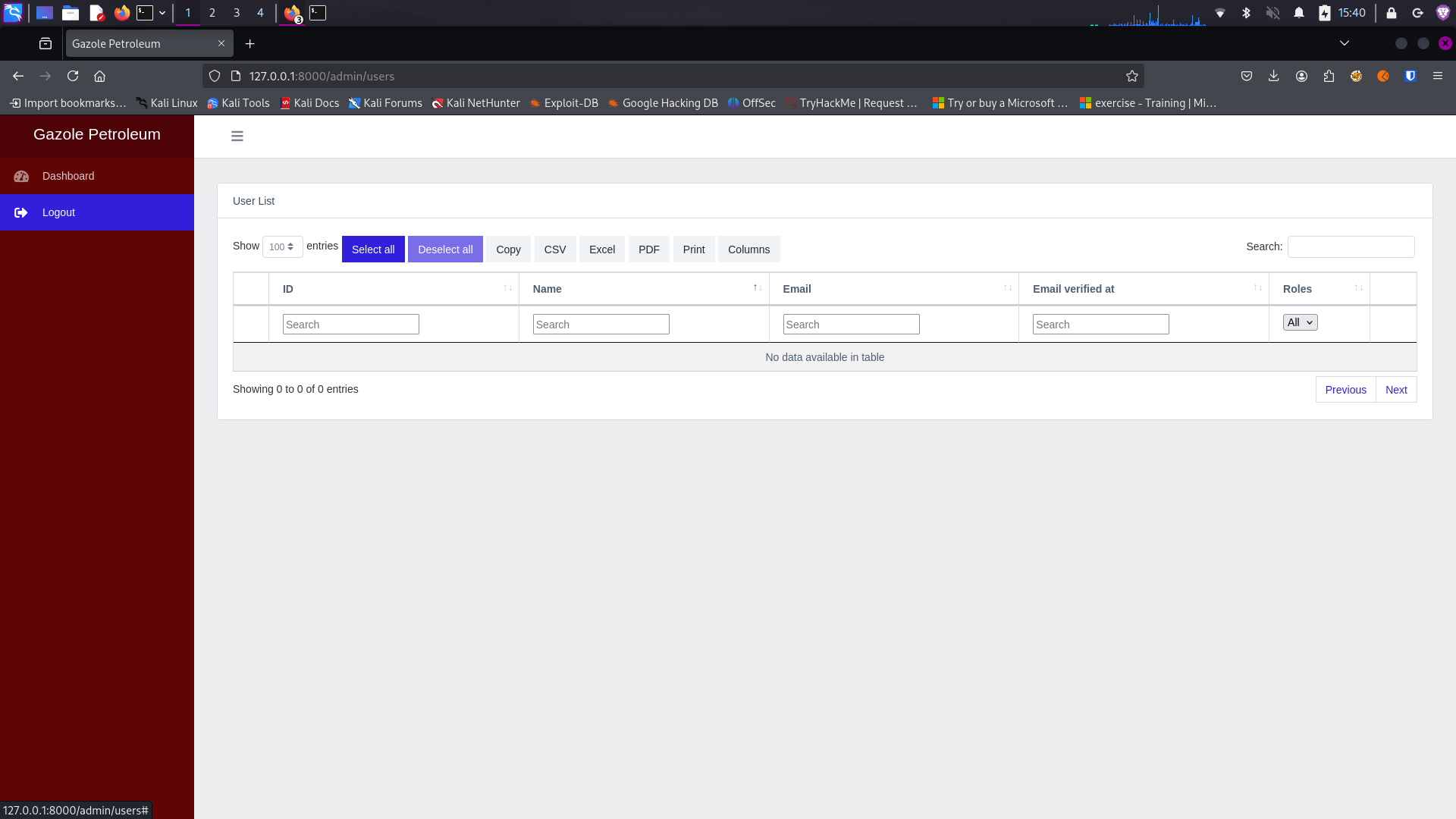
Initially, I was unable to retrieve the confidential employee information from the "/admin/users" page. I attempted several methods to extract this information:
Initial Attempt
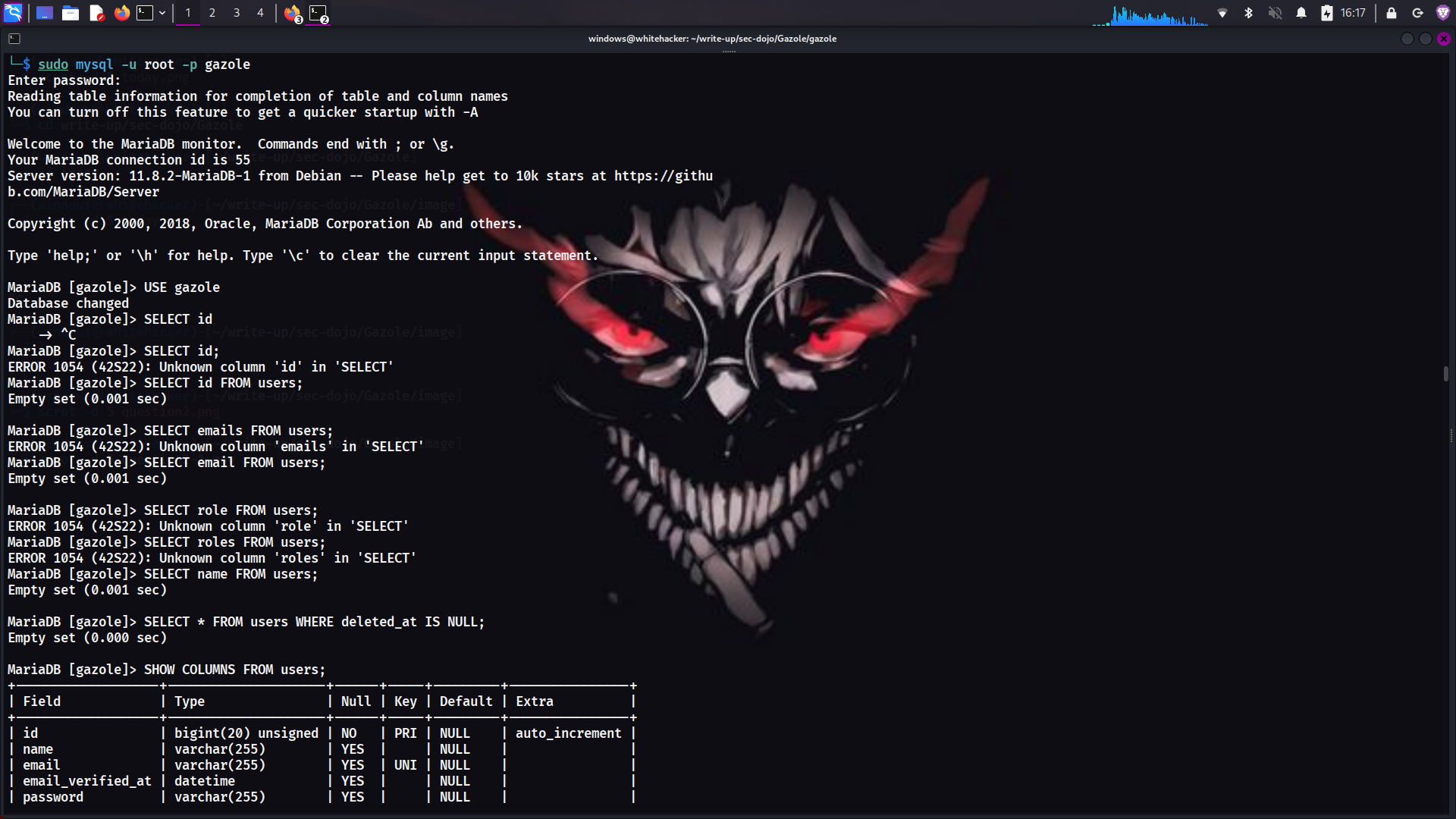
Initial attempt to access user information without success
🛠️ Discovery Methods
Source Code Review
Examined the application source code for hardcoded credentials or email addresses
Database Examination
Checked the database for user information but found no relevant data
Grep Command
Used grep to search for email patterns in the source code
grep -rni ".sec-dojo.com"The grep command searches for the pattern ".sec-dojo.com" recursively in all files within the source directory. This command helped me locate the administrator's email address that was hardcoded somewhere in the application.
Successful Discovery
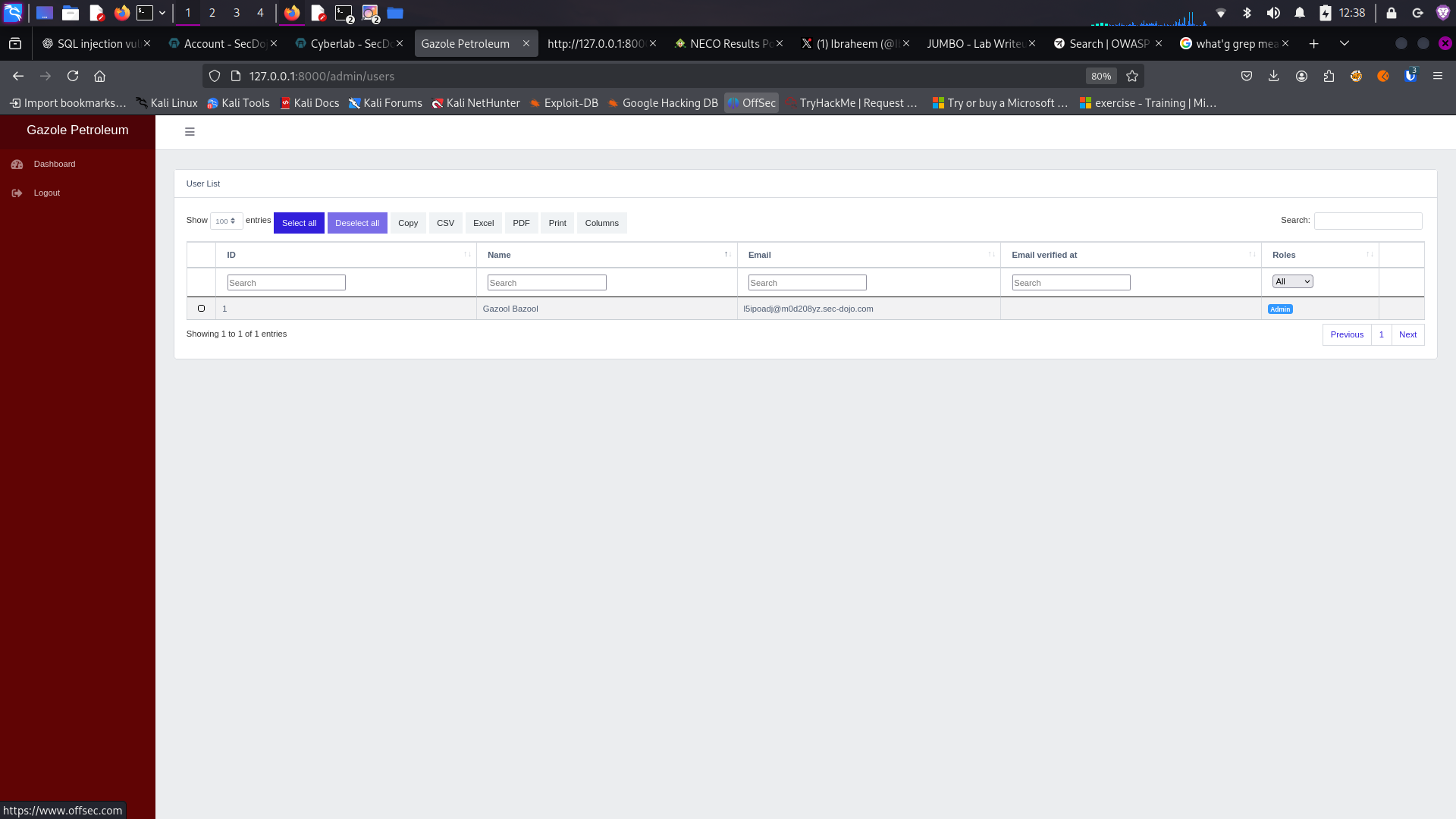
Successfully discovered confidential employee information
Note: During the writeup process, I restarted the PHP server and was able to access the confidential information on the dashboard. This suggests there might have been an initial configuration issue with the server setup.
Analysis Results:
Using the grep command, I successfully discovered the administrator's email address within the application source code. This demonstrates how information leakage can occur through hardcoded credentials or contact information.
Question 4: Available User Roles
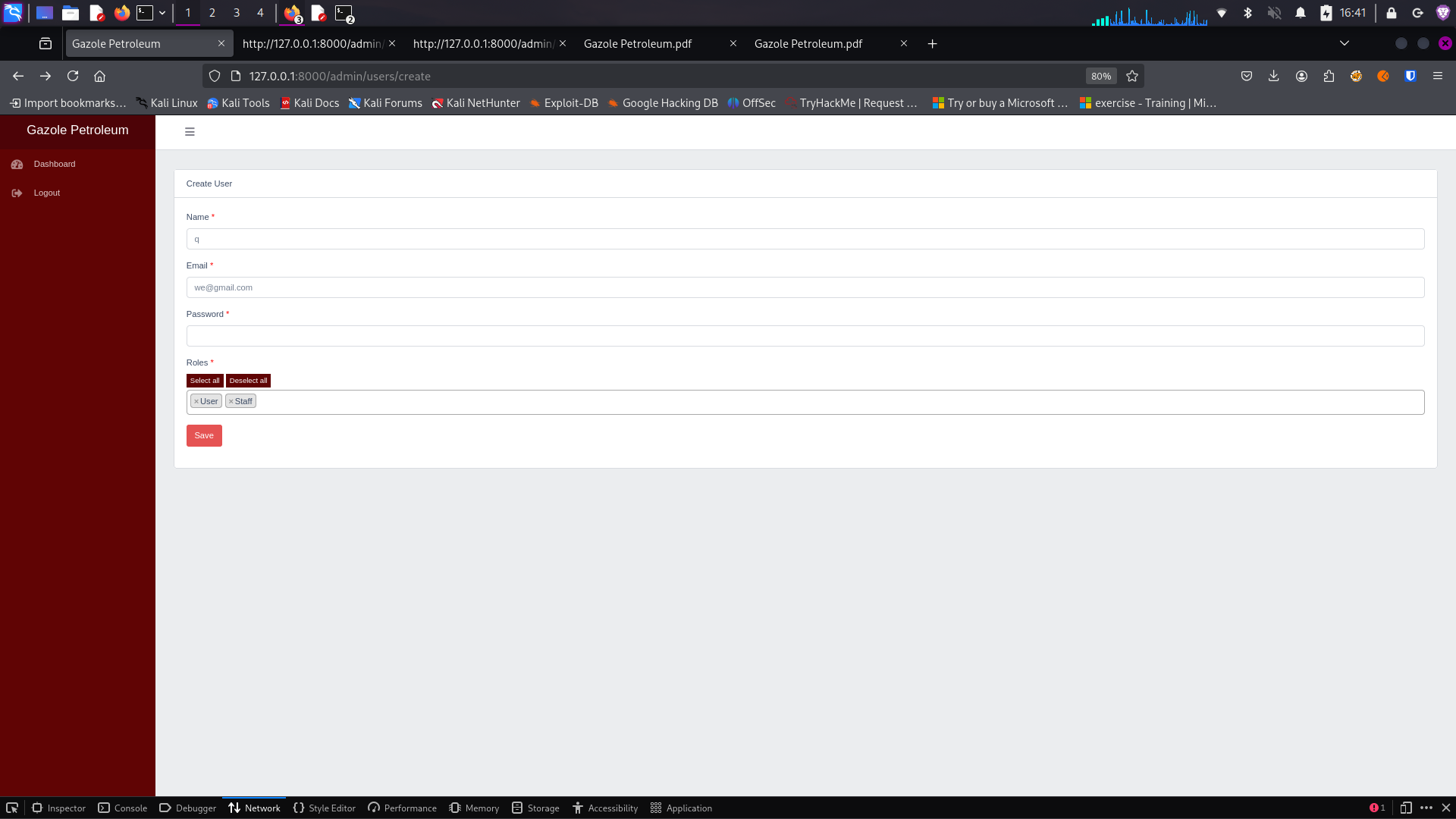
By accessing "/admin/users/create", you discover a form for user creation. Which roles are available for user creation?
Question Reference
Question about available user roles
🔍 Role Analysis
I accessed the user creation form at "/admin/users/create" to examine the available roles in the application:
User Creation Form
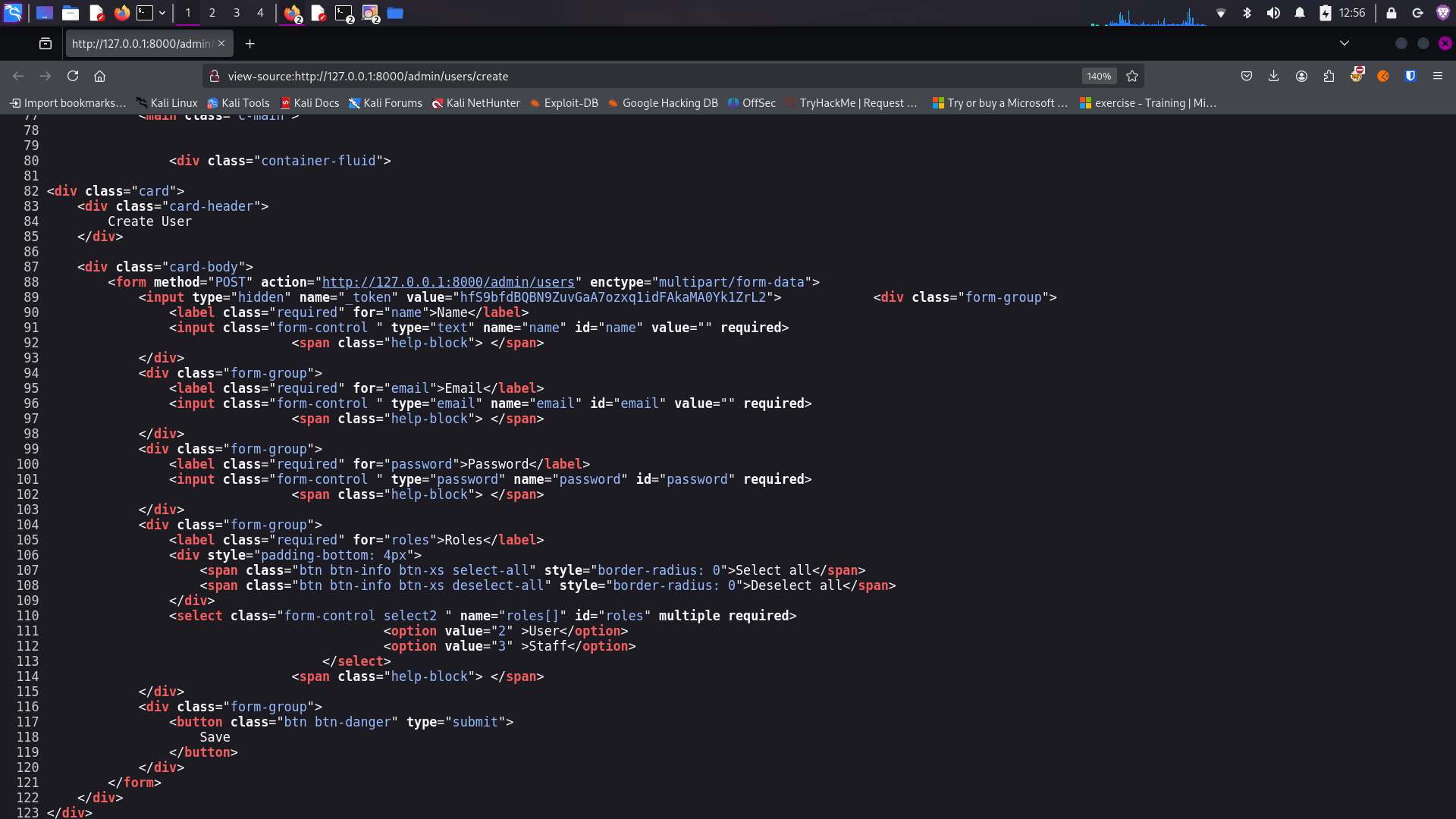
User creation form showing available roles
Analysis Results:
The available roles for user creation are:
• User
• Staff
Interestingly, the "Admin" role is not available for selection in the user creation form, which might be a security measure to prevent unauthorized creation of administrative accounts.
Question 5: Input Validation Vulnerability
While reviewing the source code, you find that the application accepts user input for updating profiles "/admin/users/create" without validation. Which vulnerability does this represent?
🔍 Vulnerability Identification
I examined the user creation functionality and identified a critical vulnerability related to input handling:
Analysis Results:
The correct answer is D. Mass Assignment Vulnerability.
The application accepts user input for creating user profiles without proper validation or filtering. This creates a Mass Assignment vulnerability where an attacker could potentially manipulate form data to assign unauthorized privileges or modify fields they shouldn't have access to.
How Mass Assignment Works:
When the application blindly accepts all form fields and assigns them to model attributes without proper filtering, an attacker can add additional parameters to the request (e.g., via browser developer tools) that might not be intended to be user-modifiable, such as role assignments or status flags.
In this case, while the "Admin" role isn't available in the form UI, a malicious user could potentially modify the request to include this role if the backend doesn't properly validate or filter input.
Question 6: Contact Form Error
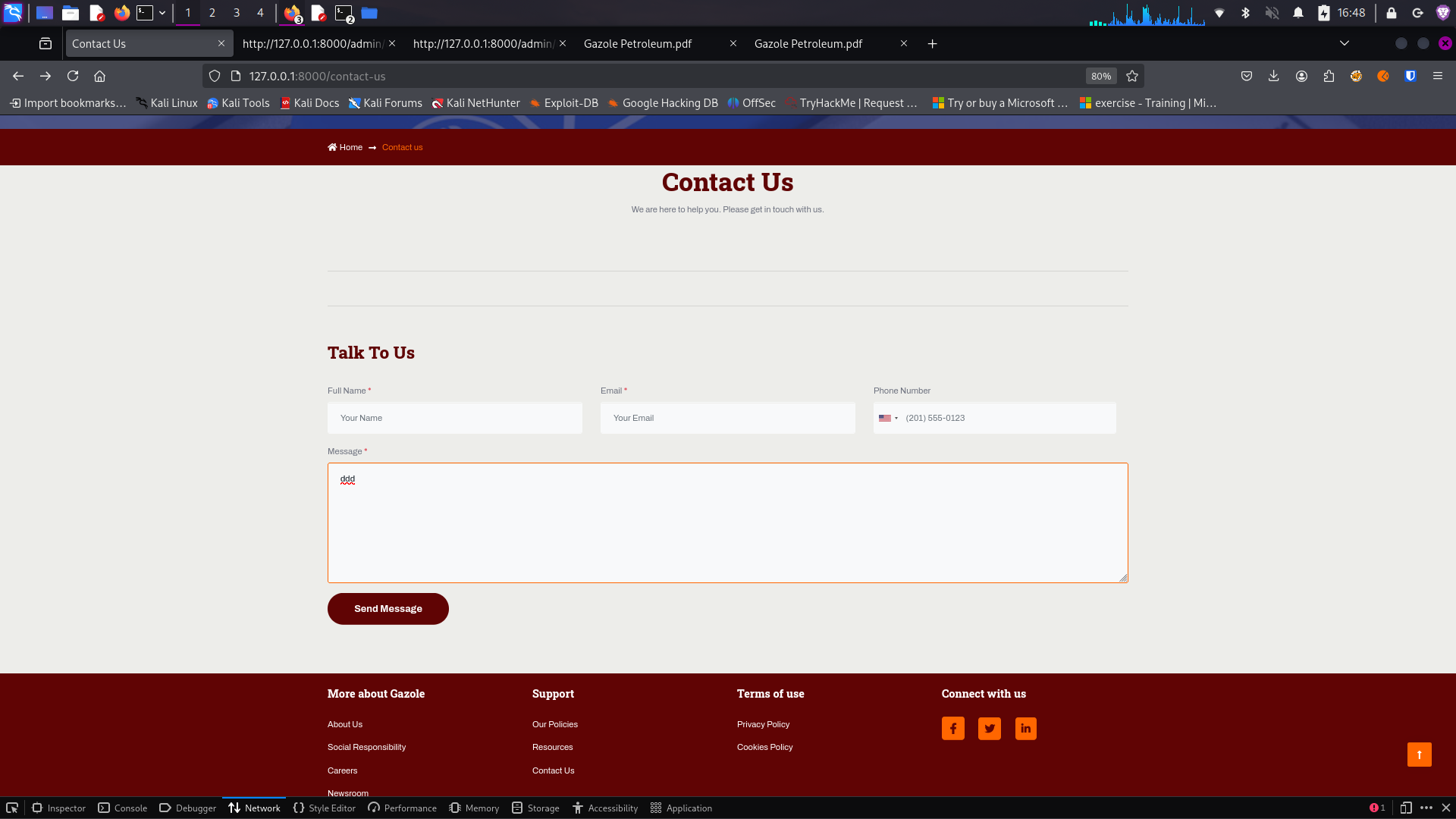
By accessing the contact form (http://..../contact-us) and submitting a message, you notice that the form is broken and displays an error message. What is the error message?
Question Reference
Question about contact form error message
🔍 Error Analysis
I tested the contact form by filling out the details and clicking the send button:
Contact Form Error
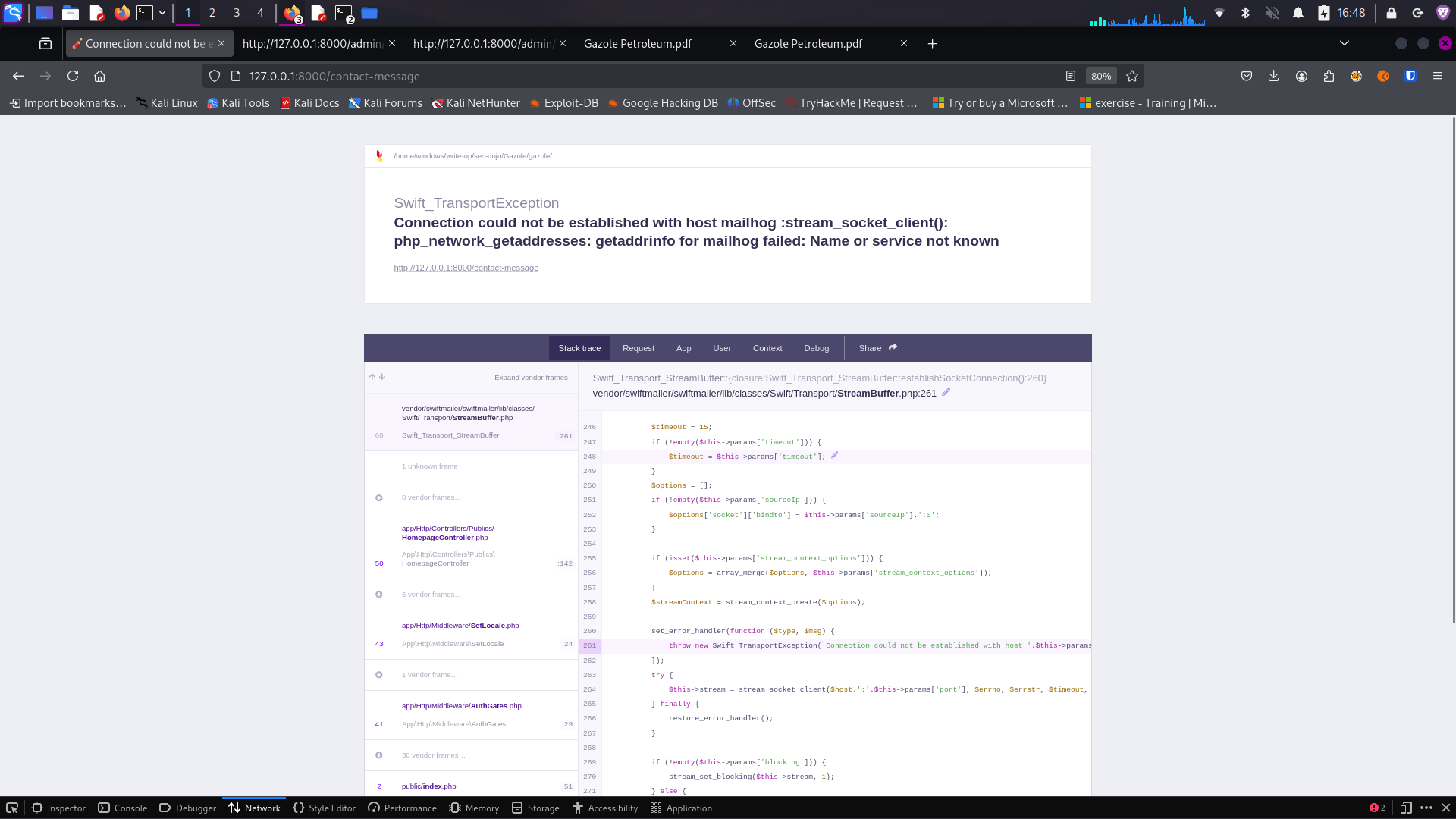
Contact form showing error message
Analysis Results:
After submitting the contact form, the application displayed an error message: "MailHog service is unreachable".
This indicates that the application is configured to use MailHog (an email testing tool) for handling form submissions, but the service is not running or not properly configured. This error could potentially leak information about the application's email configuration and internal services.
Question 7: Database Management Tool
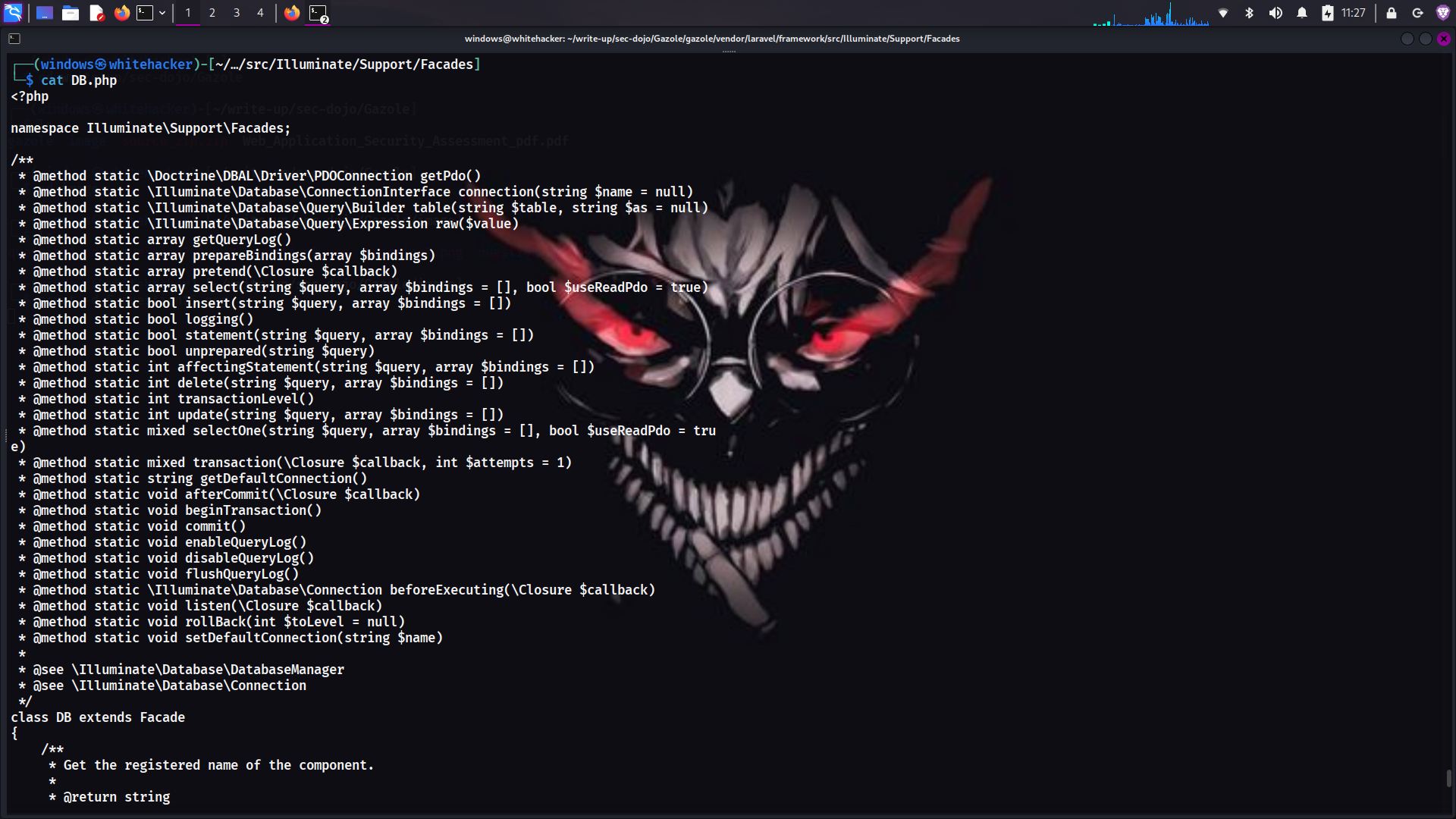
A database management tool is exposed at (http://..../db.php). What is the name of the tool?
Question Reference
Question about database management tool
🔍 Tool Identification
I attempted to identify the database management tool through multiple approaches:
Source Code Review
Examined the db.php file but found no identifying information
Direct Access
Attempted to access the tool directly but couldn't identify it visually
Curl and Grep
Used curl combined with grep to extract tool information from the webpage
curl -s http://127.0.0.1:8000/db.php | grep -i "adminer\|phpmyadmin"Tool Identification Process
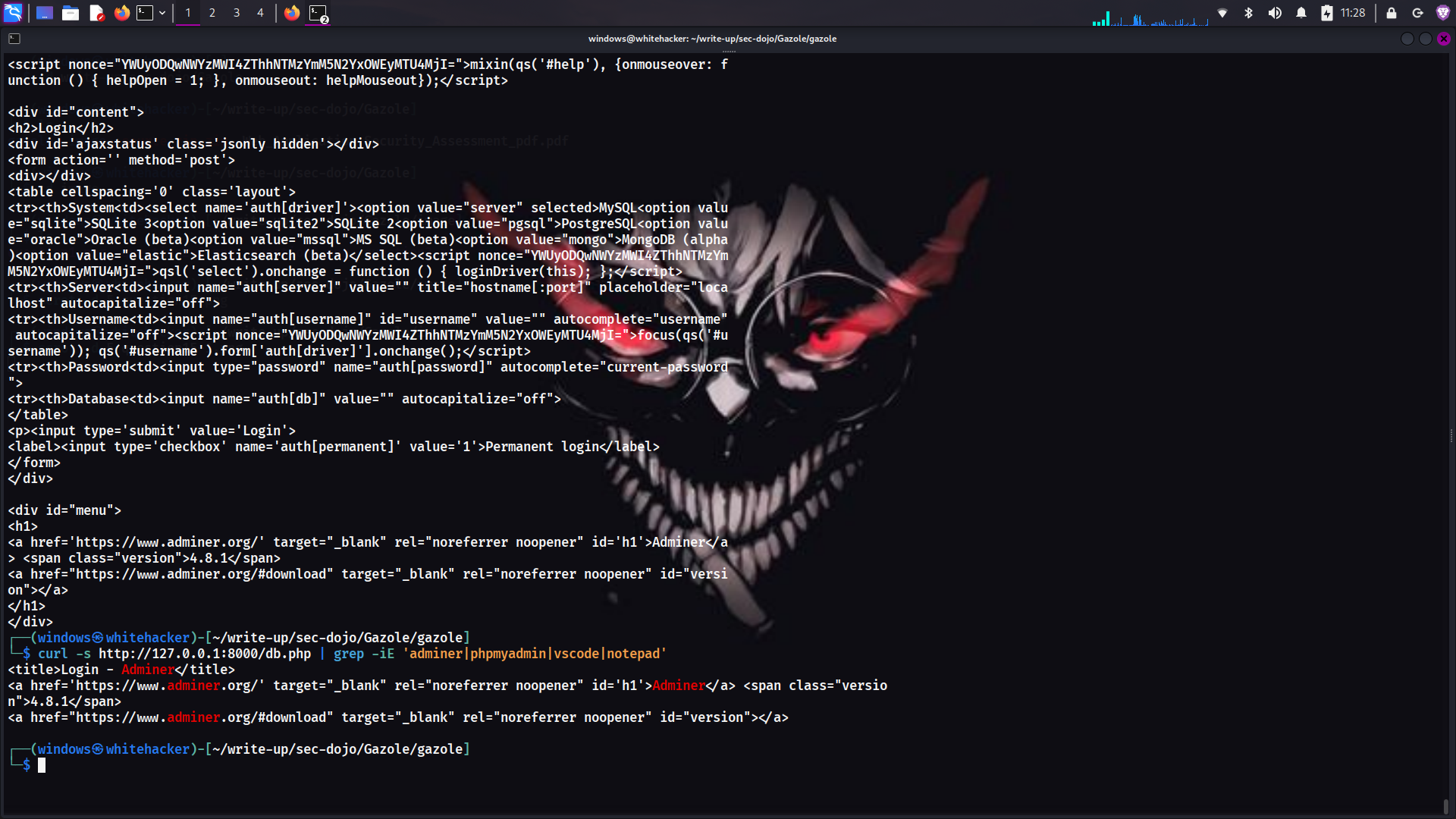
Using curl and grep to identify the database management tool
Analysis Results:
Using curl combined with grep, I successfully identified the database management tool as Adminer.
Adminer is a popular database management tool written in PHP. Its exposure presents a significant security risk as it could allow unauthorized access to the application's database.
Question 8: Database Tool Risk
What is the risk of an exposed database management tool?
🔍 Risk Assessment
I evaluated the potential risks associated with the exposed Adminer database management tool:
Analysis Results:
The correct answer is A. Unauthorized access to sensitive data.
When a database management tool is exposed, the primary and most severe risk is that an attacker could gain access to the tool and view or extract sensitive data. This could include customer information, financial records, intellectual property, and other confidential business data.
Additional Risks:
- Data Manipulation: Attackers could modify or delete data, potentially causing business disruption or data loss.
- Privilege Escalation: If user credentials are stored in the database, attackers could potentially escalate privileges within the application.
- Further Compromise: Database access could lead to further system compromise through techniques like reading application configuration files or executing stored procedures.
🎉 Lab Completed!
Through systematic analysis of the Gazole application, I successfully identified and documented multiple security vulnerabilities including broken access control, information leakage, mass assignment vulnerabilities, and exposed database management tools.
Key Takeaways
🔒 Access Control Essentials
Always implement proper authentication and authorization controls, especially for administrative functions. Never assume that users won't discover unprotected endpoints.
🛡️ Input Validation
Validate and sanitize all user input to prevent mass assignment vulnerabilities and other injection attacks. Use allowlists rather than blocklists for validation.
🔍 Information Leakage
Avoid hardcoding sensitive information in source code. Use environment variables or secure configuration management systems for credentials and contact information.
🗄️ Database Security
Never expose database management tools in production environments. If such tools are needed for development, ensure they are properly secured and inaccessible from external networks.
Additional Learning Resources
🎯 Assessment Methodology Applied
Environment Setup
Properly configured the Laravel application environment for testing
Access Control Testing
Identified and exploited broken access control vulnerabilities
Information Discovery
Used various techniques to uncover leaked sensitive information
Input Validation Analysis
Identified mass assignment vulnerabilities in user creation forms
Database Exposure Assessment
Discovered and evaluated risks of exposed database management tools